
![[img]](/site/images/menu/menu_products_services.png)
![[img]](/site/images/menu/menu_solutions.png)
![[img]](/site/images/menu/menu_support.png)
![[img]](/site/images/menu/lock_users.png)
![[img]](/site/images/menu/set_logo_149x61.png)
![[img]](/site/images/menu/menu_partners.png)
![[img]](/site/images/menu/mezera.png)
![[img]](/site/images/menu/line_vertical.png)
![[img]](/site/images/menu/lock_partners.png)
![[img]](/site/images/menu/menu_about.png)

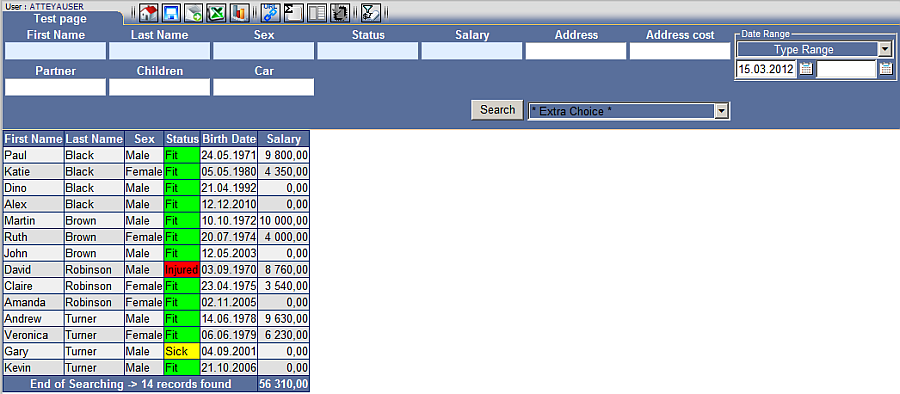
Basic search parameters are applied to entries in any field of the form in any length.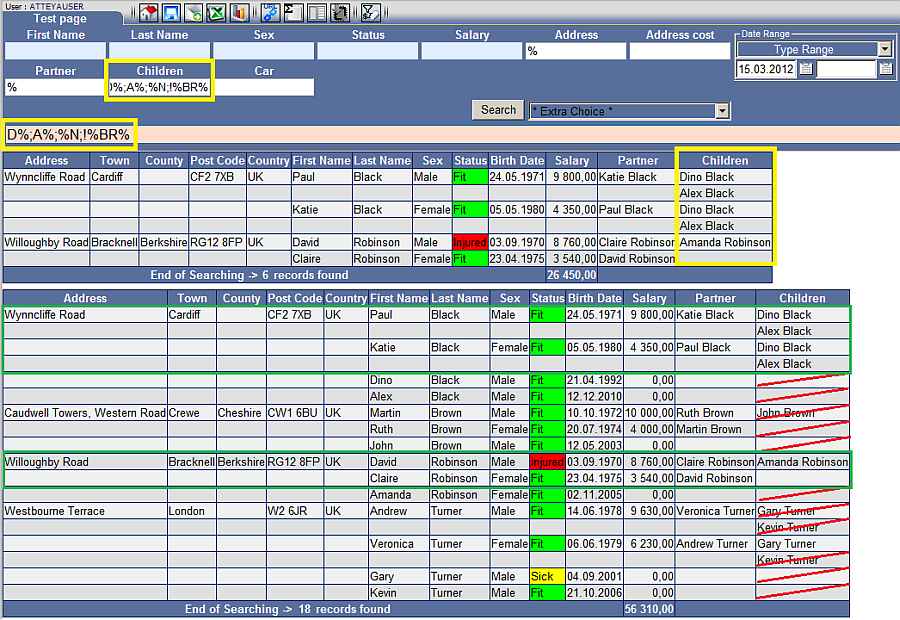 The basic constraints must be kept to display data correctly.
1. separate each constraint by ";".
2. positive constraints (display) are processed first, negative ones (do not display) second.
3. "! negation" is only present once in the constraint string. Everything following "!" will not be present in the report.
| % * |
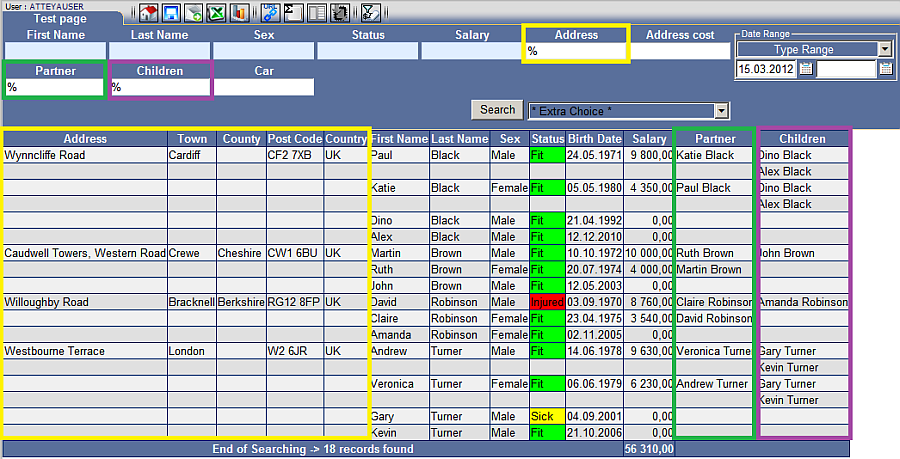
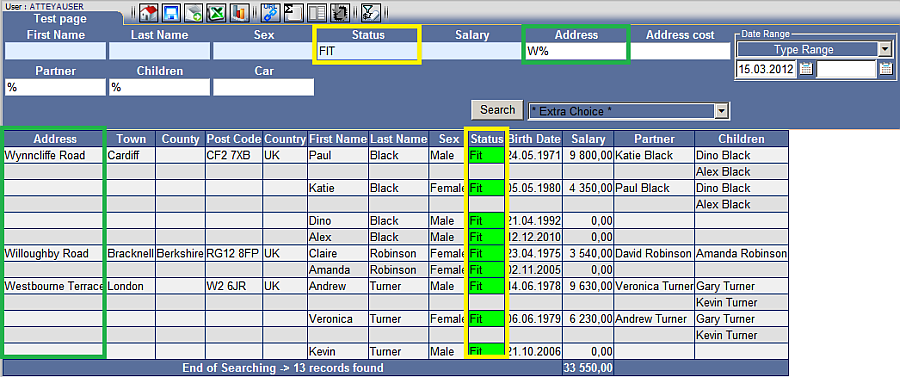
"Percent", "Star" These characters have the same function. Fig. No. 2 Activates the white input fields in the form. Fig. No. 3 Replaces unknown characters in the string. A single string may contain several "%" or "*". |
  |
| %% |
"Two percents" Fig. No. 3a If only two percent symbols are entered in the field, the column will only display lines which contain data. |
|
| !%% | "exclamation mark, two percents" Fig. No. 3b Entering these parameters into the input field will display a column with lines containing no data. |
|
| ; | "Semicolon" Fig. No. 4 Logical "and" connects several constraints into a single string. |
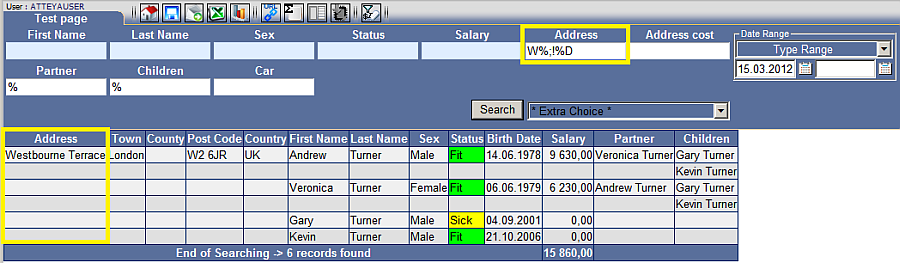 |
| _ | "Underscore" Fig. No. 5 Any character which replaces one unknown character in the string. An arbitrary number of underscores may be entered in sequence and in a single string. |
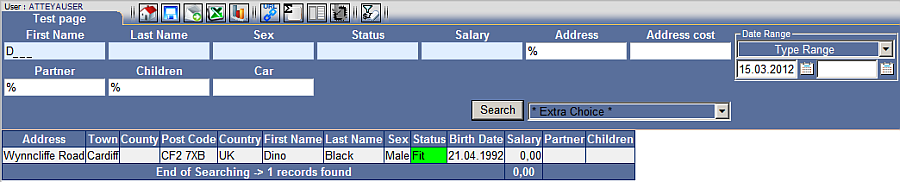 |
| ! | "Exclamation mark" Fig. No. 6 Negation is used only once in the string! Will filter out all strings which fulfill the subsequent constraints. Deactivates the basic blue fields in the form. |
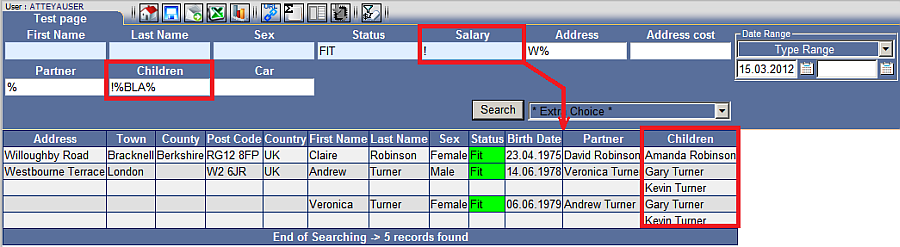 |
| > < | "Greater than", "Lower than" Fig. No. 7 Applies to numerical values. May be used to return values greater or lower than the one listed in the field. |
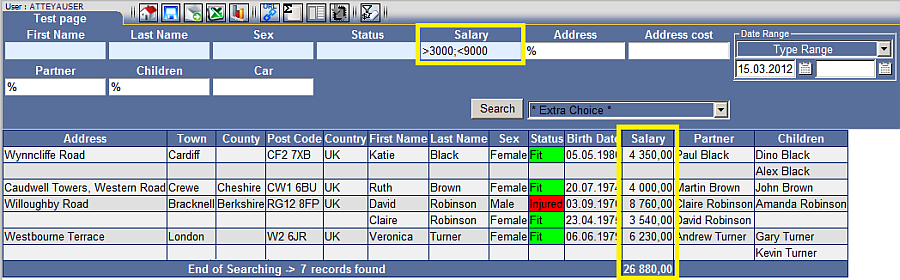 |



