
![[img]](/site/images/menu/menu_products_services.png)
![[img]](/site/images/menu/menu_solutions.png)
![[img]](/site/images/menu/menu_support.png)
![[img]](/site/images/menu/lock_users.png)
![[img]](/site/images/menu/set_logo_149x61.png)
![[img]](/site/images/menu/menu_partners.png)
![[img]](/site/images/menu/mezera.png)
![[img]](/site/images/menu/line_vertical.png)
![[img]](/site/images/menu/lock_partners.png)
![[img]](/site/images/menu/menu_about.png)
Sharing reports has several options.
1. Sharing via internal mail.
2. Sending a URL link from the web browser via e-mail.
3. Sharing in groups.
The whole application is designed so that it helps users share information on several levels.
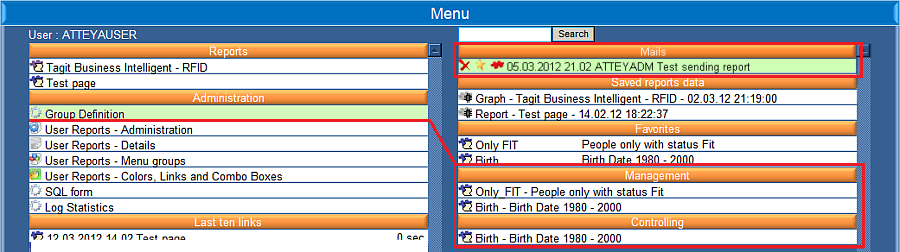
The first method via internal Fig. No. 1 mail is designed for sharing between two users. The first user creates a report and sends it to a specific person selected from the list of users in the form "Send report".
The second method uses e-mails containing the url link, which is located in the web browser and is original for each report Fig. No. 2. To display the report, it is necessary to activate the url in a web browser. If you are not logged in, the application will ask you to do so.
The third method for sharing information is on the application level. The administrator creates groups and assigns users as well as already defined reports into them "Group - Definition". The groups and reports are accessible to users who have been assigned access from the administrator.

Share report
-
Last modified2012-04-03
-





