
![[img]](/site/images/menu/menu_products_services.png)
![[img]](/site/images/menu/menu_solutions.png)
![[img]](/site/images/menu/menu_support.png)
![[img]](/site/images/menu/lock_users.png)
![[img]](/site/images/menu/set_logo_149x61.png)
![[img]](/site/images/menu/menu_partners.png)
![[img]](/site/images/menu/mezera.png)
![[img]](/site/images/menu/line_vertical.png)
![[img]](/site/images/menu/lock_partners.png)
![[img]](/site/images/menu/menu_about.png)

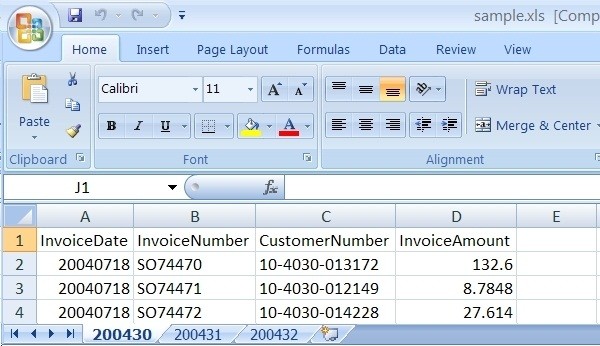

Before the export itself, it is possible to select export into a single Excel sheet or several Excel sheets.
Procedure
Export into several sheets.
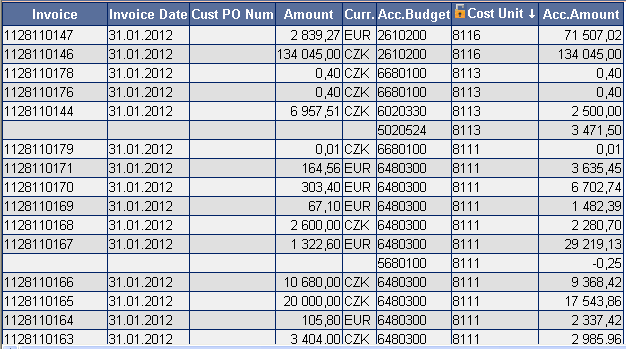 Fig. No. 1
Order the data in the "Sorting" column which you want to separate into individual sheets.
Fig. No. 2
In the "Extra Choice" combo box select "XLS split to sheets". Click on "Search".
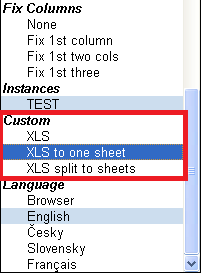 Fig. No. 3
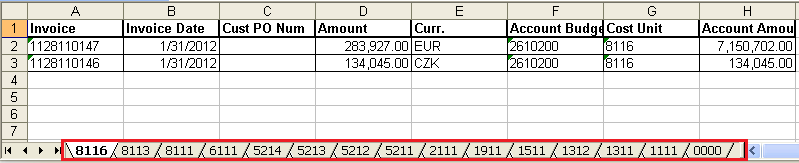
Click on the "XLS" icon in the top tab. If you have configured everything correctly, an Excel will open with the data exported in individual sheets.
Fig. No. 4
After the export, the screen will display a yellow bar with the "XLS layout" information.
Successful export requires certain parameters to be allowed in your internet browser. These parameters are usually configured in: Internet Explorer
 |
 |



