
Create a new line
-
Last modified
12. 6. 2013
3. Create a new line in the template
| Once a new template is established, the first empty line of this template displays under its name, waiting to be filled. In this section are predefined entry fields. |
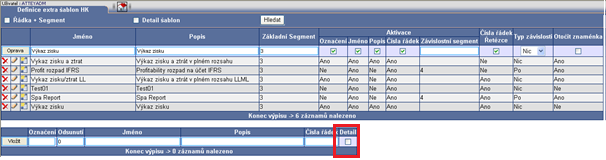 |
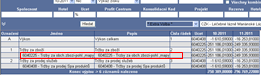
| „Detail“ is a new component which displays on a line. This field activation enables detailed content in the template display (lines with accounts) in the future. |
 |
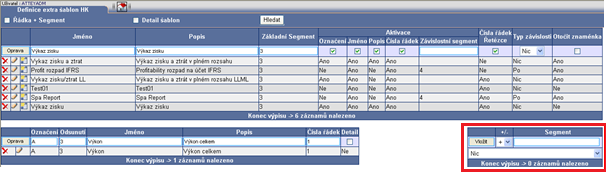
| Fill entry fields with requested data and save. A new template displays on the right side after insertion, which enables data input in each particular line with required content to get the right data. |
 |

![[img]](/site/images/menu/menu_products_services.png)
![[img]](/site/images/menu/menu_solutions.png)
![[img]](/site/images/menu/menu_support.png)
![[img]](/site/images/menu/lock_users_cz.png)
![[img]](/site/images/menu/set_logo_149x61.png)
![[img]](/site/images/menu/mezera.png)
![[img]](/site/images/menu/menu_partners.png)
![[img]](/site/images/menu/line_vertical.png)
![[img]](/site/images/menu/lock_partners_cz.png)
![[img]](/site/images/menu/menu_about.png)



