
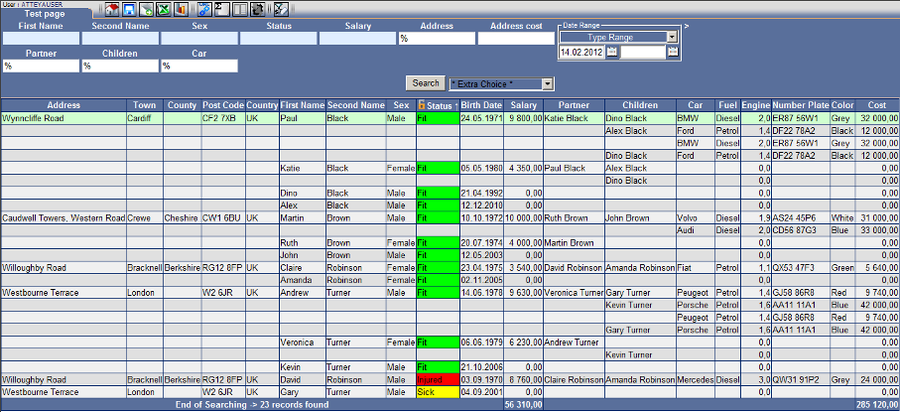

We have got our own defined first page “Test page”, which has a basic field in “User Report Administration“. Now, we will expand the page by a dynamic SQL feature.
| Adding Dynamic Features to the Report____________________________________________________ | ||
| Edit |  |
|
| Delete |  |
|
| SQL function DNA Definition |
 |
We will add new features to SQL with the help of this function. These features are activated by a user on the form page in a standard way. |
| Dynamic Field Definition |
 |
A dynamic field makes it possible to add other fields/columns, which are not present in the basic SQL. This way the output of the report can be extended or its features modified. In such case it is necessary to use predefined SQL genomes (point a.), and even conditions (point c.) in some cases. |
| Conditions Definition |
 |
Conditions of a link make it possible to define cases when a specific genome is to be activated in the case of activation of the search field. |
| Format, Color, Hyper Link Definition |  |
|
User Reports Administration_____________________________________________________________ |
||
 |
||
| Detail Item |  |
|
| Menu Group |  |
|
| Color |  |
|
| Link |  |
|
| Combo |  |
|