
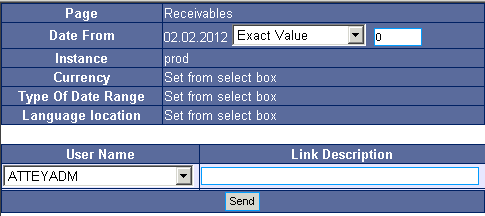
Use the form to select the user to receive the report and write any text in the field "Link Description".
If you use "Date Range" in the report, you may select display options before sending the report, similarly as with "Save report".
Fig. No. 1
After sending the report, the recipient will see a new section "Mails" at the top right of the Main menu which contains the received report.
 Options
 delete
 favorite
 clicking on the text will display the report. The text contains the date and time of sending, sender's login and description.